


Fallout 4: 16 Essential Mods After the Next-Gen Update
The Next-Gen update shook up Fallout 4 modding. Here is a 16-mod survival kit, organised across foundations, performance, interface, and gameplay.
 Filter:
You returned to the Commonwealth only to hit an infinite loading screen or a half-broken mod library. Welcome to the club. The April 25, 2024 Next-Gen update changed the game's runtime from 1.10.163 to 1.10.980, breaking almost every mod that uses F4SE in the process. F4SE's developer compared the fallout to Skyrim's Anniversary Edition disaster.
By 2025, things had settled down. The essential tools are back, frameworks have been updated, and the herd has selected 16 mods that genuinely transform the game, grouped by category and checked for Next-Gen. Zip up that Vault suit.
f4se_loader.exe, not Steam. Otherwise F4SE will not load and half of this list is useless.
⚙️ Foundations & Frameworks

The absolute foundation. Without F4SE, you can forget about roughly 80% of the serious mods on this list. Created by Ian Patterson, it extends the game's scripting well beyond Bethesda's native limits: configuration menus, custom interfaces, and advanced gameplay functions all depend on it.
- Launch the game through
f4se_loader.exe, never directly from Steam - Extract every file into Fallout 4's root folder and merge the Data folder
- Tip: rename
f4se_loader.exetoFallout4Launcher.exefor automatic Steam launching - Steam and GOG work perfectly. Windows Store and Epic Game Pass: good luck.
The quiet hero that keeps everything from crashing. Address Library provides version-independent memory addresses so F4SE plugins can find the right game functions on any runtime. The All-In-One version includes files for every game version (1.10.163, 1.10.980, 1.10.984, 1.11.169+). Install it once and forget it.
- Put the
.binfile inFallout 4\Data\F4SE\Plugins\ - Required by High FPS Physics Fix, Sprint Stuttering Fix, and ShadowBoostFO4
- No configuration needed; install it through Vortex in two clicks

Thousands of bugs Bethesda never fixed: broken quests, floating objects, crashing scripts, miscalculated perks, and NPCs stuck in walls. The list is enormous. The team behind this patch—the same people maintaining Skyrim and Oblivion's unofficial patches—has done extraordinary work for years. Workshop-system scripts were completely rewritten to run 25 to 90% faster.
- Load it first in your mod order, right after the master files
- Permanently fixes settlement resource-counting bugs
- Do not clean it with xEdit: it is already optimized

On its own, it changes nothing visually. It is a shared library that lets mods add interface elements without conflicting with one another. Once you install Sim Settlements 2 or FallUI, it becomes essential for settlement meters, improved companion information, and custom widgets.
- Requires F4SE; install it through your mod manager
- Required by Sim Settlements 2, FallUI HUD, and its variants
- Uses no resources until a mod calls on it
MCM adds a "Mod Config" option to the pause menu, where you can configure all your mods with sliders, checkboxes, and hotkeys. No more hand-editing INI files or deciphering console commands at 3 a.m.
- Nearly every serious gameplay mod uses MCM for its options
- Requires F4SE but does not take up a plugin slot
- For Next-Gen (1.10.984+), use MCM 1.40 BETA 2 or newer
Created by kinggath, the maker of Sim Settlements, Workshop Framework opens the settlement system to community mods. Its APIs let mods change workshops without creating conflicts. If you want automated settlements or any advanced building mod, it is non-negotiable.
- Required by Sim Settlements 2
- Load it after the Unofficial Patch in your mod order
- Compatible with every game version, vanilla and Next-Gen
⚡ Performance & Stability

The most important mod if your display runs above 60 Hz. Creation Engine ties physics speed to frame rate: above 60 FPS, objects clip through walls, NPCs run at high speed, and scripts execute too quickly. This mod dynamically decouples physics from frame rate by changing fMaxTime in real time. The result: 144 FPS without the chaos.
- A huge bonus: disable VSync during loading screens. On an SSD, loading can drop from 60 seconds to 7
- Configure
HighFPSPhysicsFix.ini: set your FPS cap (refresh rate - 3 for G-SYNC/FreeSync) - Enable
DisableBlackLoadingScreens=truein the configuration file

Does downtown Boston make you cry at 25 FPS? This mod dynamically adjusts shadow draw distance around an FPS target you set. When the game struggles, it reduces shadows; when things are stable, it expands them. Beautiful shadows in quiet areas, steady performance in dense districts.
- Typical gain: 10 to 25 FPS in problem areas
- Set
fFpsTarget = 60.0in the INI file to match your target - Do not enable TerrainManager: it causes stuttering

This mod fixes the bug where the camera stutters while you sprint across uneven surfaces in first person. If it has ever felt as though your character and the ground were out of sync while running along the Commonwealth's cracked roads, this is what fixes it.
- Smooths camera transitions while sprinting; purely cosmetic
- No performance impact
- Install version 1.3 from the Nexus page's optional files
🖥️ Interface & Quality of Life
Fallout 4's vanilla inventory is a usability nightmare. FallUI completely rebuilds it with a better layout, item icons, a search bar, and prices, weight, and stats visible at a glance. Once you use it, there is no going back.
- Part of the FallUI suite (HUD, Workbench, Map, and more), but works on its own
- Requires F4SE, MCM, and Address Library
- For the best display, add these to your INI files:
bPipboyDisableFX=1,uPipboyTargetHeight=1400,uPipboyTargetWidth=1752
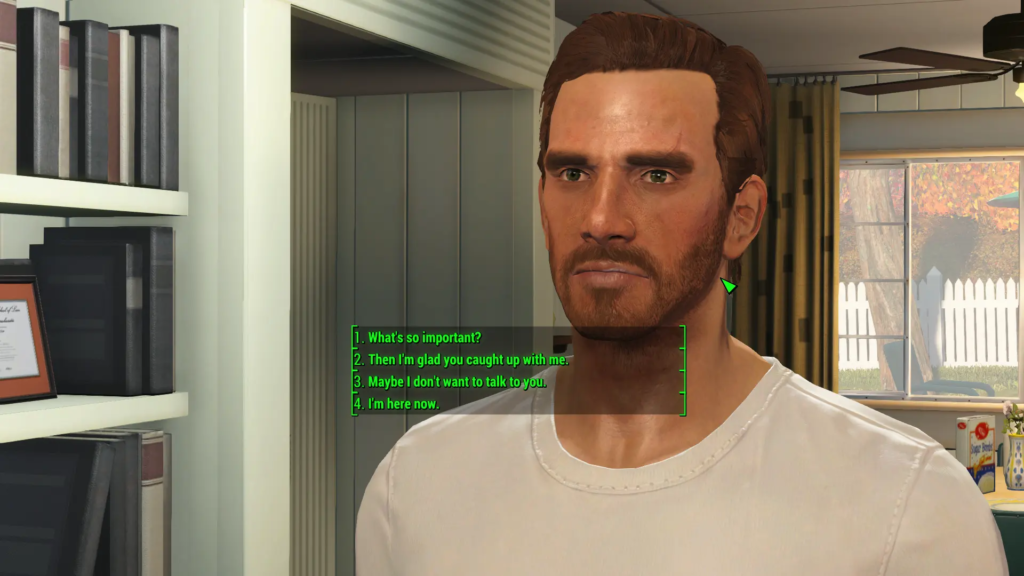
Tired of choosing "Sarcastic" only for your character to insult someone's mother? This mod replaces abbreviated prompts with the full text your character will say. No more dialogue surprises or failed quests because you misread a three-word summary.
- Supports every language through its NMM installer
- Its base version does not require F4SE
- If you use Unofficial Patch 2.1.0+, also install the "String Patch" to avoid conflicts
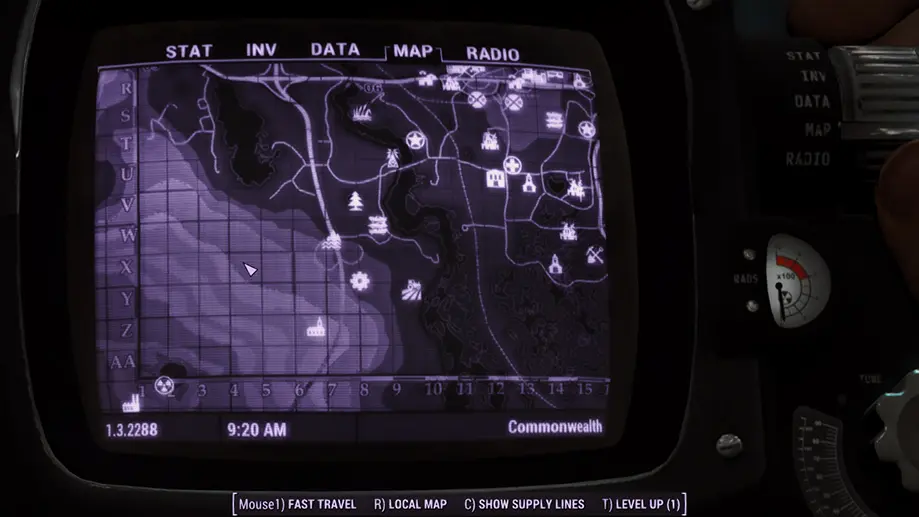
Fallout 4's vanilla map is unreadable: a greenish blur with invisible roads. This mod replaces it with a high-contrast version featuring clear roads, improved topography, and marked riverbanks. Simple, effective, painless.
- No dependencies; it is a simple texture replacement
- Compatible toutes versions du jeu, y compris Next-Gen
- Available options include several brightness levels, a numbered grid, and region labels
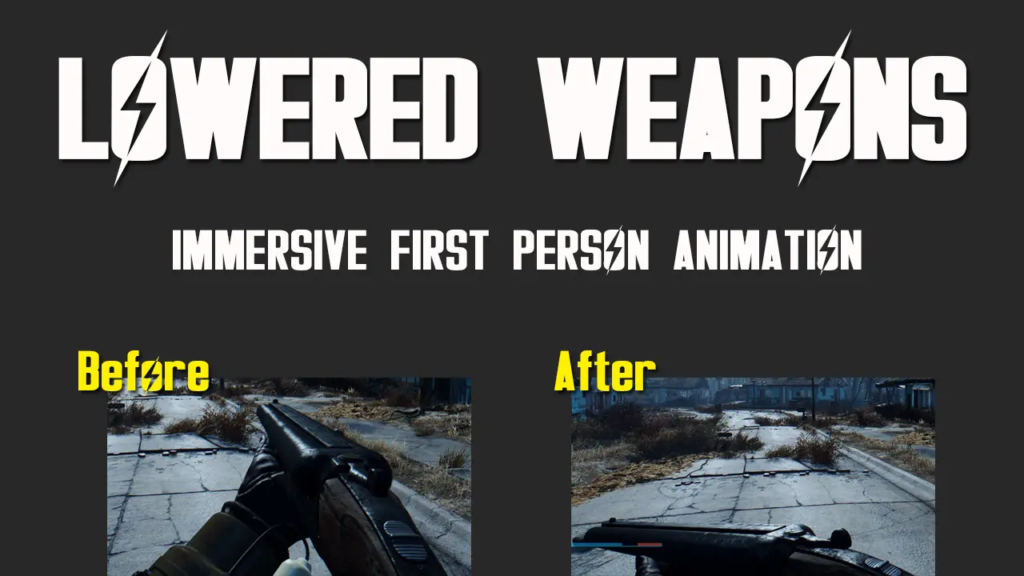
By default, your character points their weapon ahead 100% of the time, even while casually walking between ruins. Lowered Weapons automatically lowers it after a moment of inactivity, clearing your view and making exploration far more immersive.
- Works with every weapon, including in power armor
- No F4SE dependency: the mod uses animation replacements
- To uninstall: manually remove the files AND verify game integrity in Steam
🎮 Transformed Gameplay
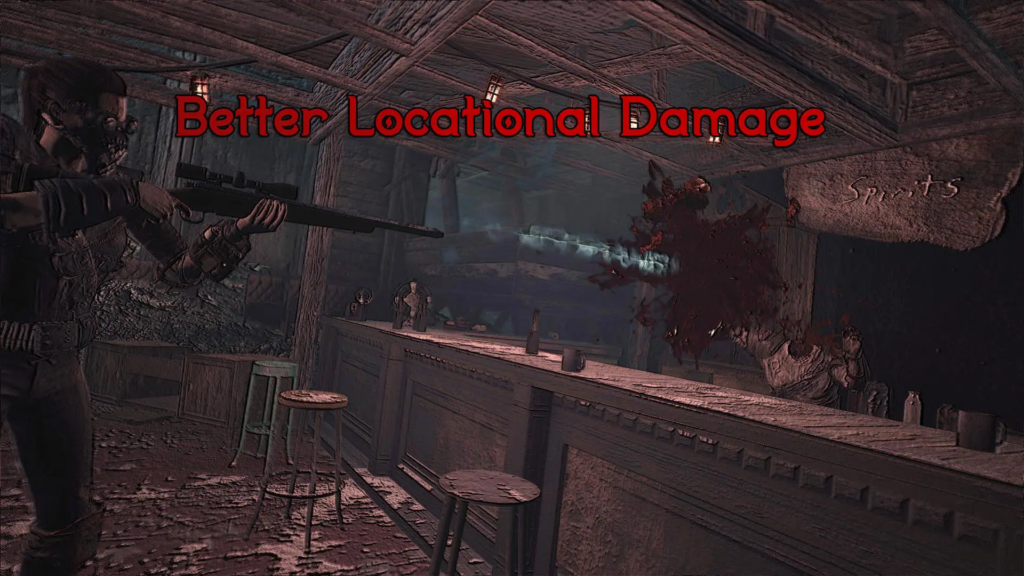
This mod transforms Fallout 4 combat: bullet sponges give way to a tactical system based on hit location and caliber. Headshots truly matter, but depend on your weapon. A 10mm pistol can kill a human with one headshot, while a Super Mutant needs .308. Combat becomes fast, lethal, and thoughtful.
- Humans: vulnerable to most calibers / Super Mutants: .308 minimum for headshots
- Yao Guai: .50 cal / Deathclaws and Behemoths: immune to headshots
- Includes bleeding, stagger, shotgun knockback, and medic behaviour for NPCs
- The Nexus page is hidden, but the mod remains available on Bethesda.net
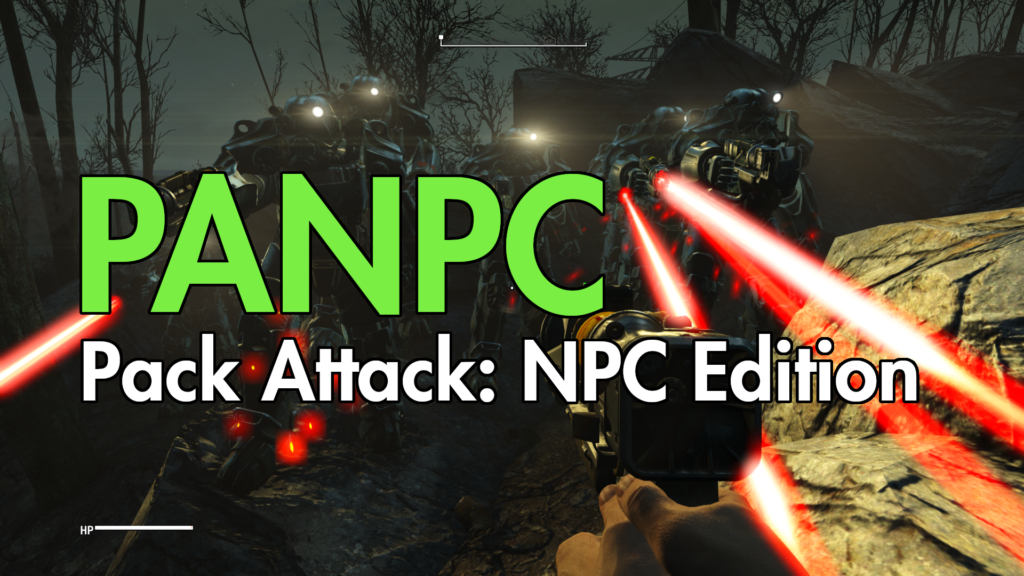
PANPC radically transforms enemy behaviour. Instead of rushing you like zombies, NPCs communicate with one another, flank, retreat, set ambushes, flee when outnumbered, and return with reinforcements. Combat becomes a real threat again.
- Group tactics: cover, flanking, and coordinated ambushes
- Real Time Response system: grenade dodging, escaping exploding cars, and trap alerts
- Coordinated factions: Gunners, Brotherhood, and Minutemen focus their fire
- Medic system: NPCs heal their injured allies

The definitive settlement mod. Rather than placing every bed, turret, and plant yourself, you define zones—agricultural, commercial, residential, industrial, and more—and settlers build their own evolving structures. Version 3.5.1 launched in December 2025 and is fully Next-Gen compatible.
- Automatic City Plans: assign a city plan and watch your settlement build itself
- Three story chapters with dozens of fully voiced NPCs
- War system (Chapter 3): turn settlements into military outposts and recruit armies
- 400+ community add-ons for additional buildings and styles
📋 Recommended Installation Order
For everything to work together smoothly, install in this order. Your Vortex load order follows the same logic.
| # | Mod | Category | Notes |
|---|---|---|---|
| 1 | F4SE | Foundation | Root folder; manual installation |
| 2 | Address Library | Foundation | In Data\F4SE\Plugins\ |
| 3 | Unofficial Fallout 4 Patch | Foundation | First .esp after the masters |
| 4 | Workshop Framework | Framework | After UFO4P |
| 5 | HUDFramework | Framework | |
| 6 | Mod Configuration Menu | Framework | MCM 1.40 BETA 2 minimum for Next-Gen |
| 7 | High FPS Physics Fix | Performance | Adjust the INI configuration for your setup |
| 8 | Sprint Stuttering Fix | Performance | Version 1.3 for Next-Gen |
| 9 | ShadowBoostFO4 | Performance | Without TerrainManager |
| 10 | FallUI — Inventory | Interface | Adjust Pip-Boy INI settings |
| 11 | Full Dialogue Interface | Interface | Add String Patch with UFO4P 2.1+ |
| 12 | Improved Map with Visible Roads | Interface | |
| 13 | Lowered Weapons | Immersion | |
| 14 | Better Locational Damage | Gameplay | Via Bethesda.net |
| 15 | PANPC | Gameplay | After weapon mods; via Discord |
| 16 | Sim Settlements 2 | Gameplay | With every chapter |
More From The Herd
More reviews and guides from our corner of the forest.